Performance, flexibility and security to empower your employees, anywhere
As an Android Enterprise Gold partner, Lenovo Android tablets offer businesses and IT departments the highest level of security, privacy and management capabilities. Our business tablets are built and optimized to keep your business working more efficiently. These durable devices stand up to the rigors of constant use, offering best-in-class features, extensive customization options and strong security.
And because Android is a powerful open platform, the wide range of Lenovo Android tablets can be tailored for any task in your company – from static roles, such as kiosks and access control, to more active roles such as delivery and hospitality.
The power to handle all your projects, in any vertical
Lenovo can help your business transform and do things differently; more effectively. Think of any industry or application, and there’s a Lenovo tablet that’s ready to go to work.
Make a difference in Education
Technology can play an increasingly central role in how lessons are delivered and how students communicate and collaborate. Lenovo’s durable Android tablets come in multiple SKUs and with optional stylus and keyboard. Making them ideal devices for education and providing the tools to support and enhance student learning, whether inside the classroom or learning remotely.
Make a difference in Retail
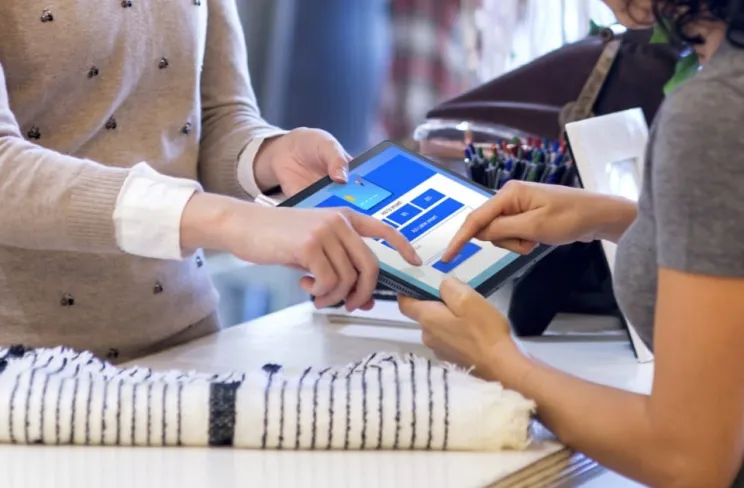
Shopping online is integral to everyday life, but many consumers still crave in-store experiences. Lenovo’s powerful, thin and lightweight Android tablets can help you deliver amazing experiences, unifying customer journeys by blending real-world and digital detail. Simply and safely transform information kiosks, cashier-less payment, self-service and more.
Make a difference in Delivery
This is the era of quick commerce. Speed and convenience are more important than ever before. Gain from the enhanced flexibility, portability and processing power of Lenovo Android tablets that are helping couriers, restaurants, grocers and other businesses deliver faster, more cost-efficient, positive customer experiences.
Make a difference in Hospitality
Hospitality is all about delighting your customers. Lenovo’s powerful, thin and lightweight Android tablets give you the power to provide seamless experiences and more personalized guest treatment. Enable more convenience at every stage from contactless check-in to room concierge services, faster check-out, and much more in between.
Make a difference in Healthcare
Healthcare systems of the future will be consumer-centric, wellness-oriented, care-everywhere and digitally connected. Lenovo Android tablets contribute their flexibility, portability and processing power to allow you to improve quality of treatment. These devices help you to deliver exemplary outcomes and outstanding patient care, whether at the bedside or remote.



Lenovo Tab Series Tablets Portfolio
Fast and powerful
All are fast and powerful, thanks to high-performance Octa-core processors, with up to 8GB RAM, up to WIFI MIMO and 5G capability.
Sleek durable design
Sleek durable design for contemporary simplicity. Premium materials and metal ensure our tablets can stand the test of time. And more recycled material, including recycled metal, plastic and fabric mean a smaller impact on the environment.
High-definition displays
High-definition displays offer bright, color accurate, high-resolution images and True Eye care, in a range of screen sizes offering HD, FHD and QHD options.
Uncompromised battery life
Uncompromised battery life, with quick charge and long-lasting power gives up to 17 hours unplugged use.
Dolby audio technologies
Powerful dual, quad or octa speakers with Dolby audio technologies deliver cut-through sound, while dual mics enhance voice recognition for clearer conversations.
Accessories
All Lenovo Android tablets come with a wide range of accessories to help you and your users get the most out of your tablets, including keyboards, folio cases, pens and charging stations.

Spotlight on the Lenovo Tab K11 series
The K11 series is designed specifically for commercial use, with a Plus option for a longer battery life and enhanced display.
- Commercial grade customization and configuration
- 11” (1920 x 1200) or up to 11.45” (2K) display
- 8600mAh battery option for up to 14 hours online
- TUV-certified, hardware solution for low blue light
- 8MP front + 13MP rear camera with flashlight
- Wi-Fi/LTE
Lenovo Android tablets – the range
Lenovo offers a full range of powerful and durable android tablets fully customizable for your business need. And give you the confidence about setting your business up on mobile. From the cost-efficient M8 to the powerful and immersive P12.

Lenovo Tab P12
- 12.7’’ 3K (2944 x 1840), TÜV certified full care and 60Hz refresh rate panoramic LCD display
- Quad JBL speakers, optimized by Dolby Atmos
- 10200 mAH battery for up to 10 hours of streaming
- Thin (6.9mm) and light (630g), all- metal unibody design
- WiFi 6 certified
Lenovo Tab Plus
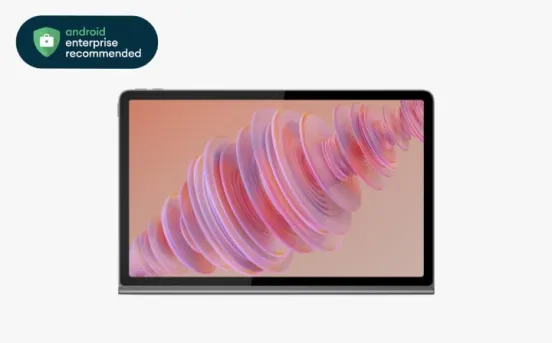
- 11.5” 2K (2000 x 1200) display
- 8600 mAH battery for up to 12 hours online
- Octa JBL® Hi-Fi Speakers (sound by JBL®) and Dolby Atmos®
- WiFi Direct and WiFi Display
- Supports 45W quick charging
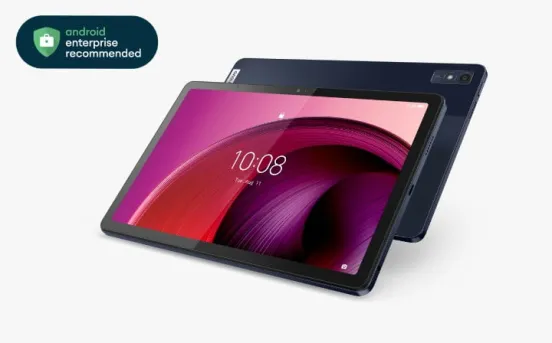
Lenovo Tab M10 5G
- 10.61’’ 2K (1200 x 2000) 15:9, 90Hz refresh rate display
- Stay Connected on the move with 5G
- Up to 12 hours of video playback, support for 20W fast charging
- TÜV eye care certification, Immersive Reading Mode
- Efficient Multi-tasking with support for Split Screen and floating windows
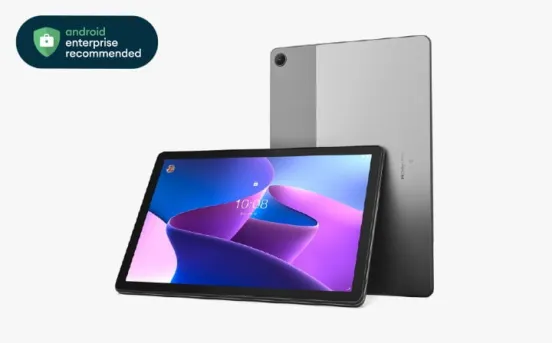
Lenovo Tab M10 (3rd Gen)
- 10.1” FHD (1920 x 1200) TDDI display
- 5100 mAh for more than 12 hours usage
- 8MP rear + 5MP front camera
- TÜV-certified, low blue light display

Lenovo Tab M9
- Thin and light: 215.43 * 136.76 * 7.99mm with about 344g weight
- 5100 mAH battery with up to 13 hours of video playback
- TÜV eye care certification, Immersive Reading Mode
- Sleek 9” 800×1340, LCD, 400 Nits brightness display
- Dual Stereo speakers with Dolby Atmos

Lenovo Tab M8 (4th Gen)vis
- Compact and lightweight (318g), just 8.95mm thin
- 8” HD (1280 x 800) display, 350 nits
- 5100 mAh, Type C 2.0
- WiFi/LTE